
Welcome: daily rhythm and your first memory
3 minFinish the welcome choices and reach the first-memory form.
Watch the steps
Connecting playback controls…
Read the on-screen captions
- Continue with Assistant postponed.
- Read the daily rhythm introduction.
- Choose Set up later for goals.
- Continue past the routine screen.
- Not now leaves reminders off.
- Review appearance and continue.
- Read the welcome messages and continue.
- Not now leaves optional diagnostics off.
- Continue with Free.
- Complete the first-memory tutorial.
- You are ready for your first memory.
Step by step
Review your daily rhythm
Read the rhythm introduction. Choose Set up later for goals if you want to start simply, and continue past the routine screen.
Choose reminders and appearance
Choose Not now to leave reminders off in this example. Review the appearance screen and continue with the option that suits you.
Finish optional choices
Read the welcome messages, choose Not now for optional diagnostics if preferred, then choose Continue with Free. These are example choices, not required selections.
Reach your first memory
Complete the first-memory tutorial to reach the form. Saving the praise is covered in Save your first praise; reaching the form alone does not save an entry.
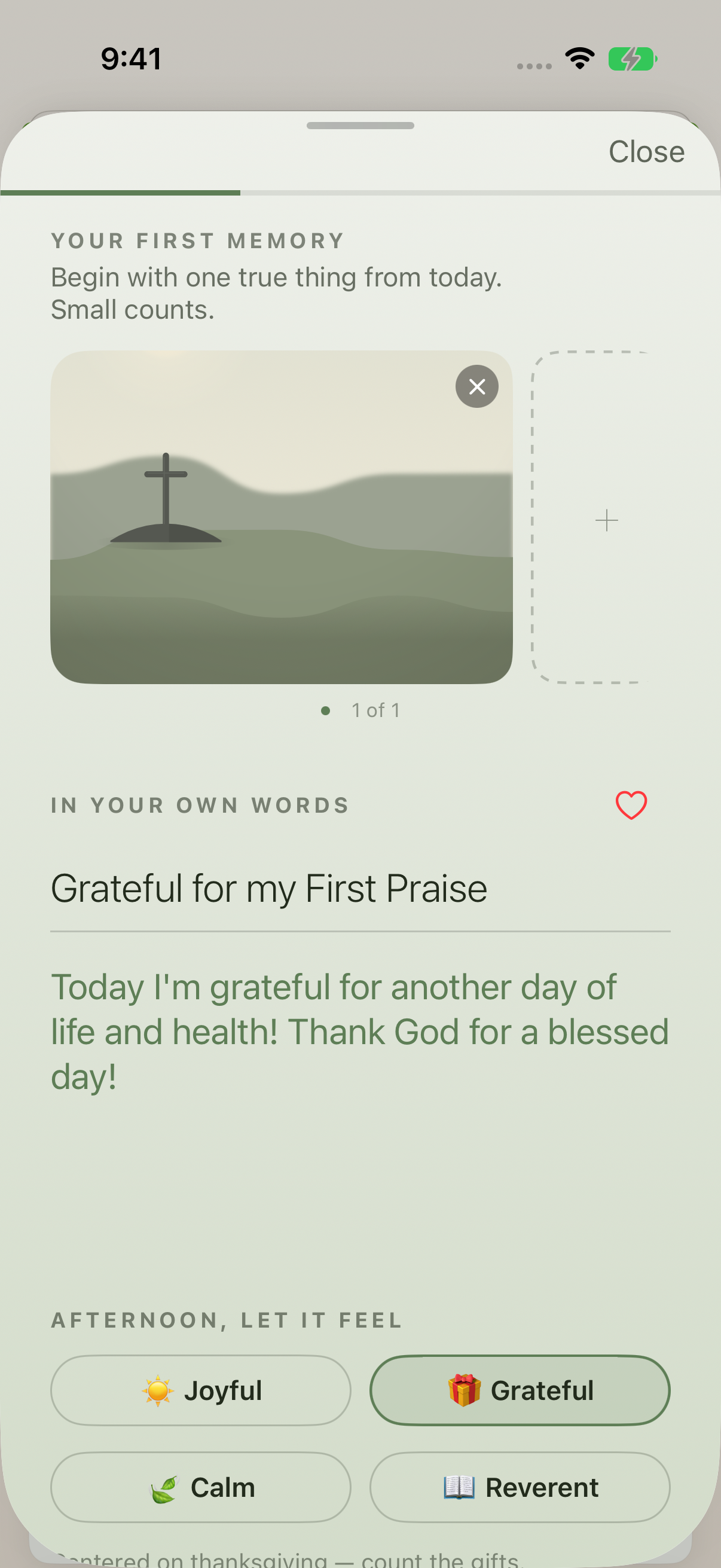
The welcome flow reaches the first-memory form. Continue with the saving lesson to complete an entry.
Keep exploring
If something looks different
Checked against MyPraise App 1.1.0 · 2026-09-20
Before you begin
- For MyPraise App 1.1.0. Apple has approved this version; availability depends on the owner’s manual App Store release.
- Continue after Welcome: personal and Scripture choices. This replay uses an existing sample profile and a plain warm light capture preset. Plan options may change; consult the current purchase screen for pricing.
- Video and screenshots retain their original capture dates and build provenance; most existing walkthroughs were recorded with 1.1.0 (34). They are not new build 53 recordings.
The screen looks different.
Guide screens may come from different versions of MyPraise App. Always download the latest MyPraise App from the App Store.
If a control is still missing, open Settings → Support for help.
Has my first memory been saved at the end?
Not yet. The welcome flow ends at the first-memory form. Follow Save your first praise to write, save and reopen an entry.