
Find memories for a focus
3 minRevisit a person, theme, or moment through guided Memory Suggestions.
Watch the steps
Connecting playback controls…
Read the on-screen captions
- Open Notifications, then Memory Suggestions.
- Enter a person, theme, or moment to revisit.
- Choose Find suggestions.
- Review the focused suggestions. Results vary.
- Clear focus to return to general suggestions.
Step by step
Open Memory Suggestions
From Home, open Notifications, then use the Memory Suggestions shortcut at the top. Dismiss a notification peek first if it covers the Home controls.
Choose your focus
Tap What would you like to revisit? and enter a person, theme, or moment. The recorded example uses Sarah N.
Find suggestions
Choose Find suggestions. Review the focused suggestions and their explanations. The example returns eight suggestions; your results and counts depend on your saved library. A focus is guidance, so check why each memory was suggested.
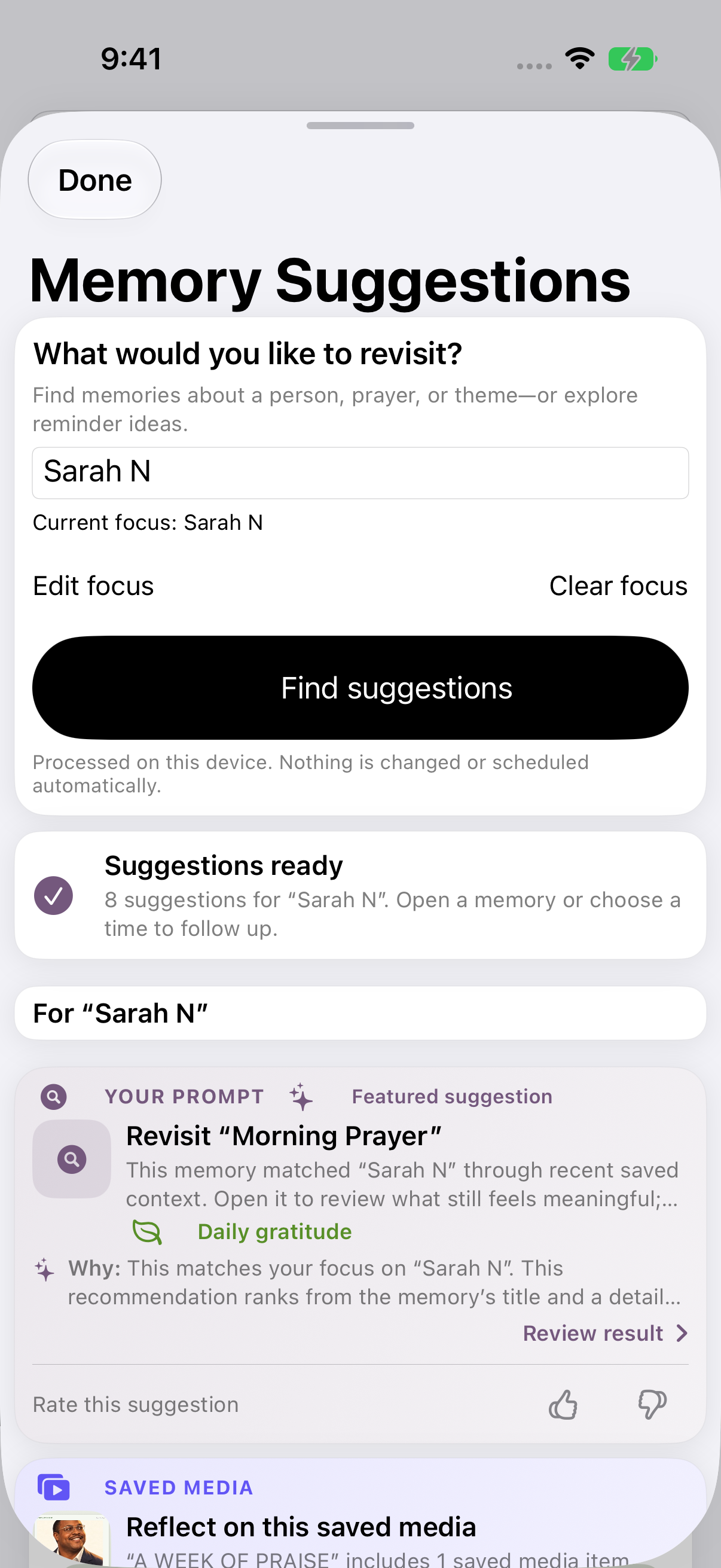
MyPraise App 1.1.0: review the focused suggestions and why each appeared. Your results will vary. Review an existing suggestion
Open a suggestion that interests you. Read Why MyPraise App suggested this and check the Starting memory before deciding what to do next. The additional review screenshot shows a previously saved link.
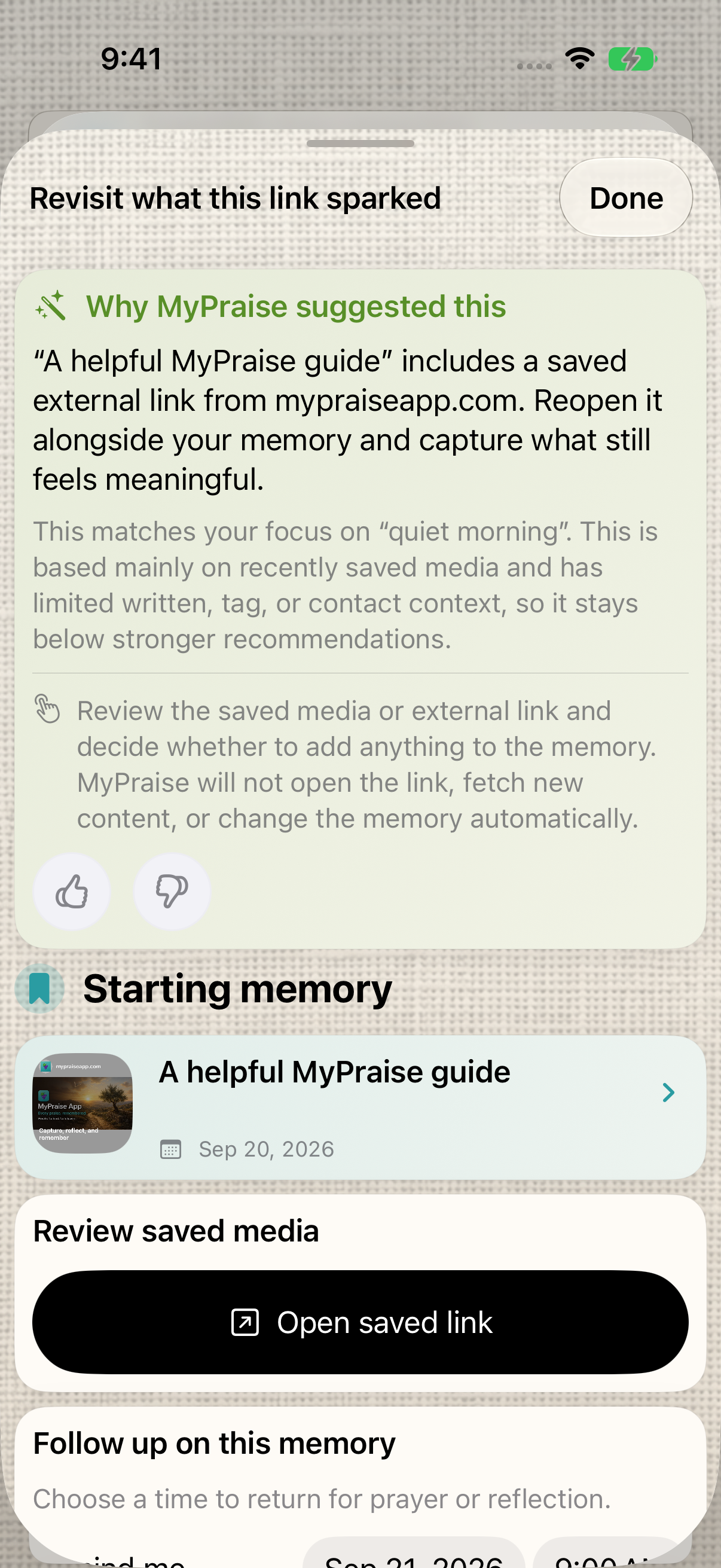
Earlier 1.1.0 recording: read why a suggestion appeared before deciding what to do next. Clear your focus
Choose Clear focus beneath the focus field. The text clears and general suggestions return. The example shows six general suggestions; clearing the focus does not delete your memories.
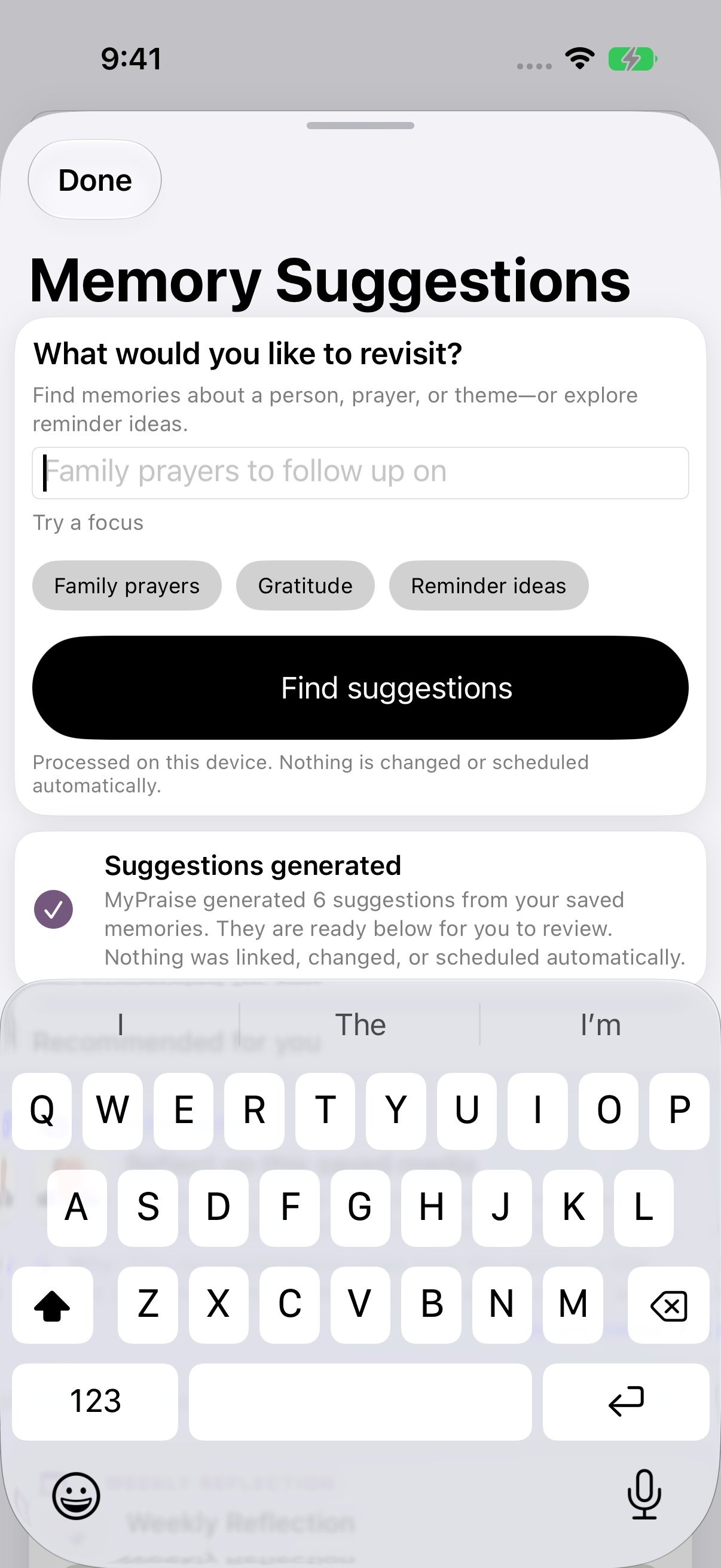
Clear focus returns to general suggestions without deleting memories.
Keep exploring
If something looks different
Checked against MyPraise App 1.1.0 · 2026-09-20
Before you begin
- For MyPraise App 1.1.0. Apple has approved this version; availability depends on the owner’s manual App Store release.
- earlier recording recorded in MyPraise App 1.1.0 (34). These controls may not be in your current App Store version.
- Saved memories to revisit. Results depend on the content in your own library.
- Video and screenshots retain their original capture dates and build provenance; most existing walkthroughs were recorded with 1.1.0 (34). They are not new build 53 recordings.
The screen looks different.
Guide screens may come from different versions of MyPraise App. Always download the latest MyPraise App from the App Store.
If a control is still missing, open Settings → Support for help.
I cannot find this feature.
Memory Suggestions requires Believer and MyPraise App 1.1.0. If unavailable, check your app version and plan. Apple approval does not itself make the update available before manual release.