
Choose a Growth Focus and record what helped
3 minRefine a Growth Focus, find a related suggestion, and record a helpful moment without assigning a spiritual score.
Watch the steps
Connecting playback controls…
Read the on-screen captions
- Profile → Your Growth Focus → Edit or replace
- Review the focus name and its details
- Describe what you want to grow in
- Save replacement to keep your wording
- Open Notifications → Memory Suggestions
- Find suggestions using your updated context
- Open a suggestion showing your Growth Focus
- Review why it appeared and the saved memory
- Choose This helped when it was helpful to you
Step by step
Open and refine Your Growth Focus
Tap Profile, scroll below your Journey card, and expand Your Growth Focus. Open the three-dot actions beside a focus and choose Edit or replace. Update Focus name and its details in your own words, then tap Save replacement. The example uses Daily gratitude and a quiet-morning family-prayer description.
Explore related memories
Return to the focus to check its saved wording. View Memories opens a matching memory list. The related count can change when you refine the wording; viewing memories does not itself record a helpful moment. The sample changed from six to eight related memories after adding details.
Find a suggestion linked to your focus
From Home, dismiss any notification preview covering the top controls. Open Notifications, then Memory Suggestions. Choose Find suggestions to refresh. Open a suggestion showing your Growth Focus label and review why it appeared and its starting memory. A generic suggestion may not show This helped.
Record what helped and check it later
If that suggestion was helpful, tap This helped. The action changes to Helped. Reopen Profile → Your Growth Focus to check the helped count. In this example it changes from 0 helped to 1 helped and stays there after reopening the app. Rating a suggestion with a thumbs-up is a separate control.
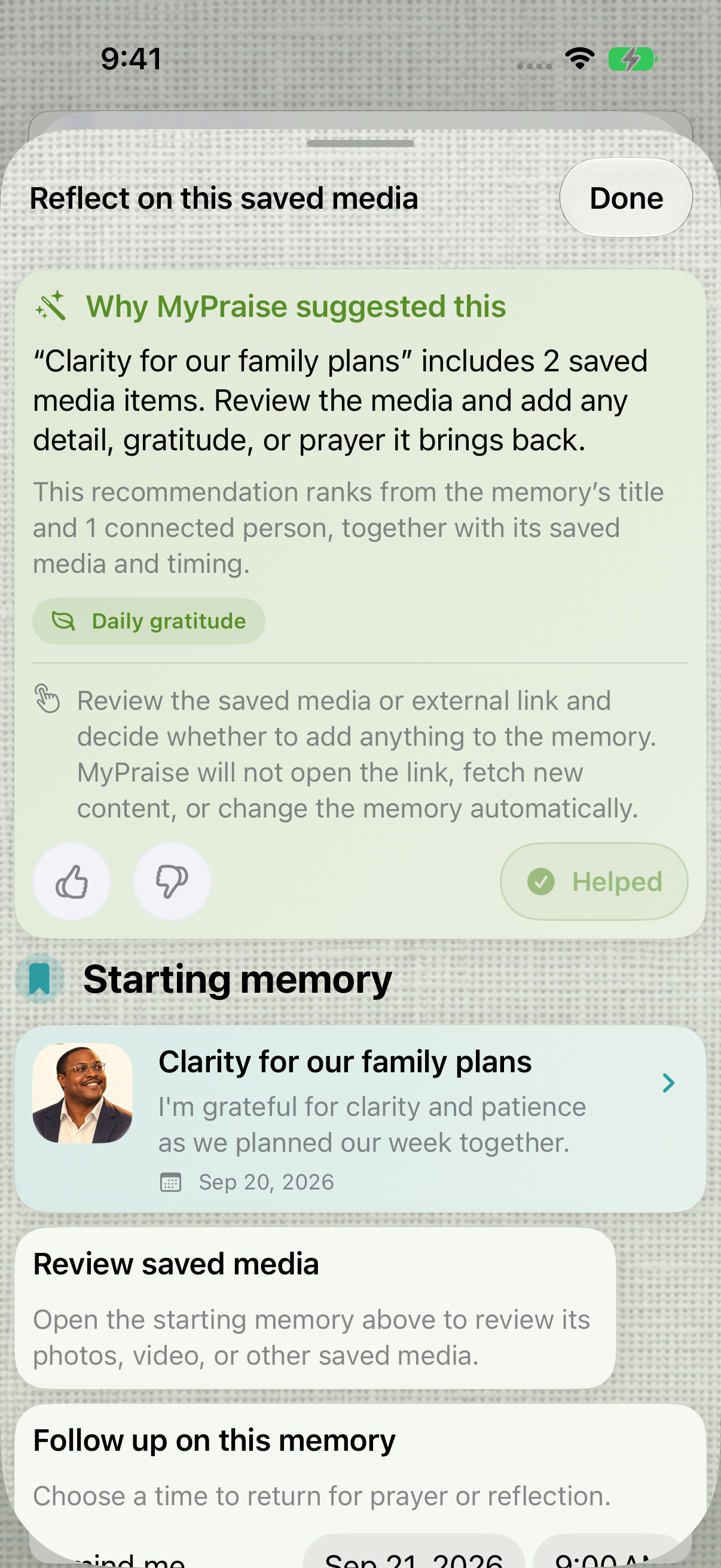
After choosing This helped, the suggestion shows Helped. The thumbs-up rating is a separate action. 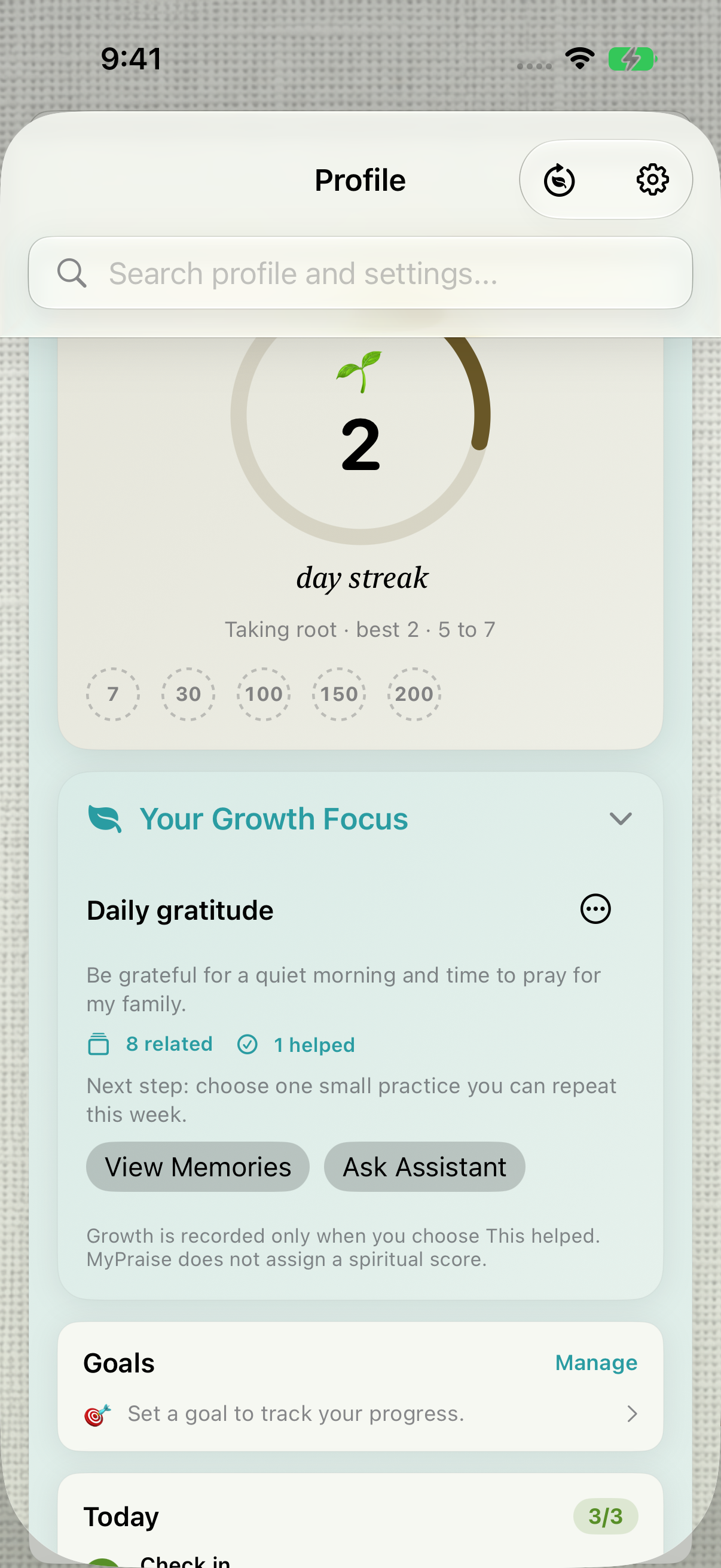
After reopening, the sample focus retains its wording and shows 1 helped.
Keep exploring
If something looks different
Checked against MyPraise App 1.1.0 · 2026-09-20
Before you begin
- For MyPraise App 1.1.0. Apple has approved this version; availability depends on the owner’s manual App Store release.
- Earlier MyPraise App 1.1.0 (34) recording. Screens may differ from the released app.
- Begin with an existing Growth Focus in Profile and meaningful sample memories. This example starts with Faith rhythm from onboarding, renames it Daily gratitude, and adds family-prayer details. Suggestions vary with your saved context.
- Video and screenshots retain their original capture dates and build provenance; most existing walkthroughs were recorded with 1.1.0 (34). They are not new build 53 recordings.
The screen looks different.
Guide screens may come from different versions of MyPraise App. Always download the latest MyPraise App from the App Store.
If a control is still missing, open Settings → Support for help.
Why is This helped missing from a suggestion?
The action appears on suggestions linked to a Growth Focus. Review your focus wording and refresh suggestions; a generic suggestion may not have a focus link. A matching label is guidance, not a promise that every memory or suggestion will be relevant.