
Find and filter your memories
3 minSearch from Home, narrow the result list by memory type and recover when a filter shows no entries.
Watch the steps
Connecting playback controls…
Read the on-screen captions
- Search for a word you remember.
- Press Return to see search results.
- Use All Types to narrow the list.
- No matches? Broaden your filters.
- Choose All Types to restore the results.
- Open the memory you want to revisit.
- Read your saved memory.
Step by step
Search from Home
Tap the search field and type a word you remember. Press Return to open Search Results.
Choose a memory type
Open All Types and choose Praise or Prayer to narrow the list. The example chooses Prayer.
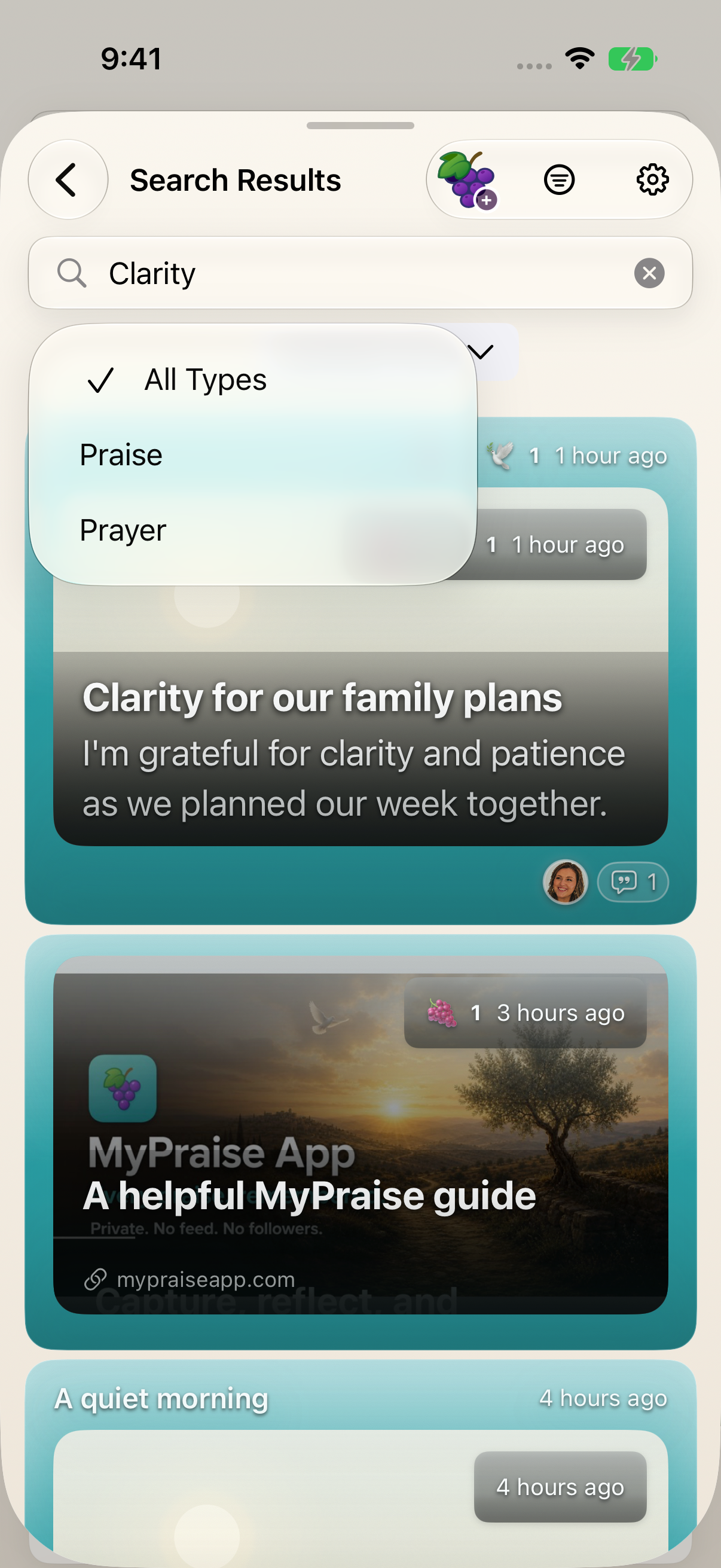
Use the type menu to narrow the list, or return to All Types when a filter is too restrictive. Broaden an empty result list
If No memories found appears, reopen the type menu and choose All Types. You can also try a different search phrase.
Revisit an entry
Tap the memory you want to read. Check its title and saved words to confirm it is the entry you intended.
Keep exploring
If something looks different
Checked against MyPraise App 1.1.0 · 2026-09-20
Before you begin
- For MyPraise App 1.1.0. Apple has approved this version; availability depends on the owner’s manual App Store release.
- Earlier MyPraise App 1.1.0 (34) recording. Screens may differ from the released app.
- Have saved memories to search. The example searches Clarity in an isolated sample library.
- Video and screenshots retain their original capture dates and build provenance; most existing walkthroughs were recorded with 1.1.0 (34). They are not new build 53 recordings.
The screen looks different.
Guide screens may come from different versions of MyPraise App. Always download the latest MyPraise App from the App Store.
If a control is still missing, open Settings → Support for help.
Why can’t I find my entry?
Check the selected memory type and return to All Types. Try a different search phrase, then open an entry and check its saved words. This walkthrough does not establish every search or filter behavior.