
Search the Support hub
3 minFind a relevant help topic from inside MyPraise App.
Watch the steps
Connecting playback controls…
Read the on-screen captions
- Close the reminder banner if it covers Home
- Open More options
- Choose Settings
- Open Support
- Search the help topics—for example, privacy
Step by step
Open Settings
From Home, open More options, then choose Settings. Close an app reminder banner first if it obscures the controls.
Open Support
Find and open Support in Settings. The hub offers help topics, FAQs, and feedback entry.
Search help topics
Use Search Support to enter a subject. The example searches privacy.
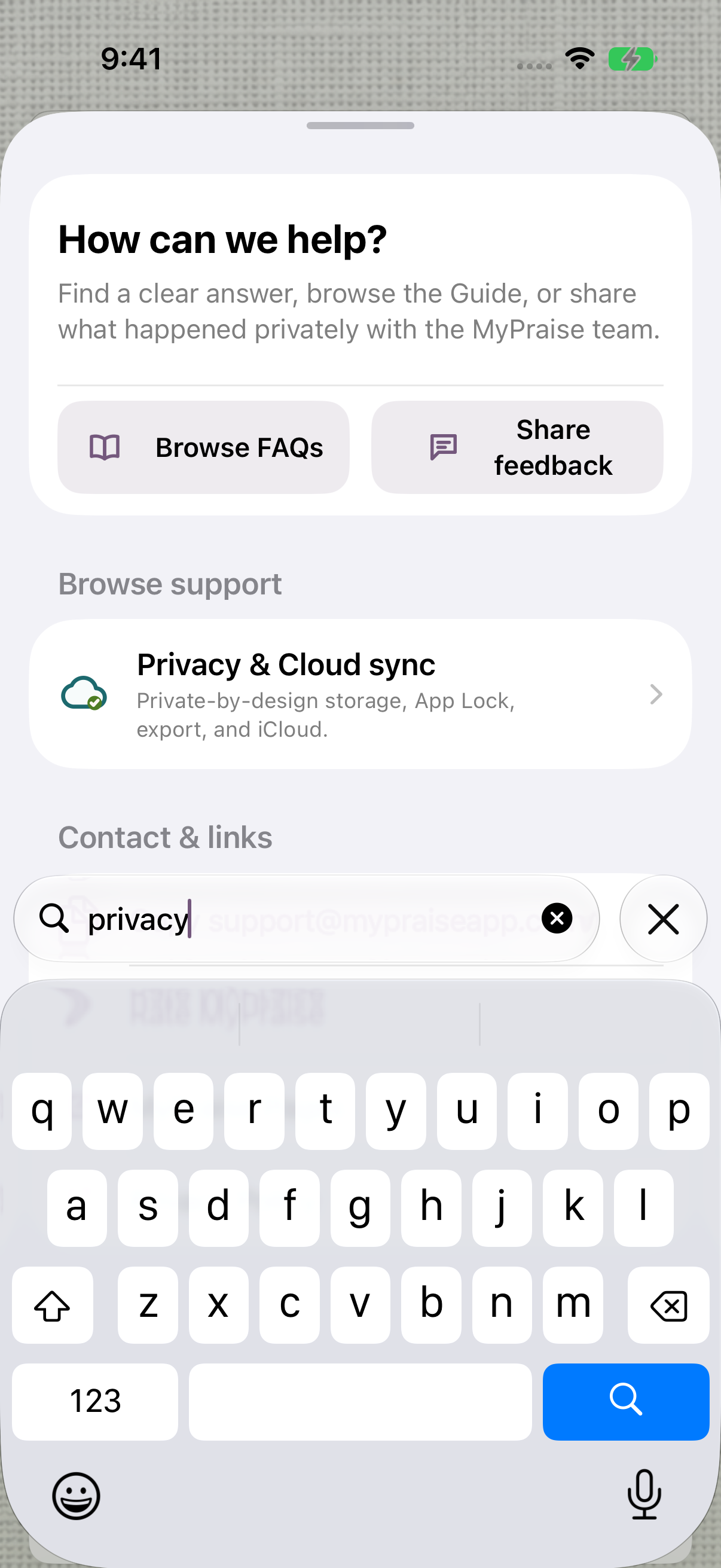
Search narrows the help topics to your question. Choose relevant guidance
Review the matching topics. Privacy & Cloud sync appears in the example. Open a matching topic to continue reading, or use the website Support link below for more help.
Keep exploring
If something looks different
Checked against MyPraise App 1.1.0 · 2026-09-20
Before you begin
- For MyPraise App 1.1.0. Apple has approved this version; availability depends on the owner’s manual App Store release.
- MyPraise App open on Home.
- Video and screenshots retain their original capture dates and build provenance; most existing walkthroughs were recorded with 1.1.0 (34). They are not new build 53 recordings.
The screen looks different.
Guide screens may come from different versions of MyPraise App. Always download the latest MyPraise App from the App Store.
If a control is still missing, open Settings → Support for help.