
Refresh and explore daily Scripture
3 minChoose a daily verse theme, read its full text and attribution, and open the surrounding chapter.
Watch the steps
Connecting playback controls…
Read the on-screen captions
- Open Daily verse theme in the Bible
- Choose a theme, such as Gratitude
- Refresh to see another verse
- Expand the verse and its attribution
- Tap the verse to open its chapter
Step by step
Choose a daily verse theme
In Bible, tap Daily verse theme above the Verse of the Day card. Choose a theme such as Gratitude, or choose All themes.
Refresh the verse
Tap the circular refresh arrow on the Verse of the Day card to display another verse. Your selection can differ from the example.
Read the full verse and attribution
Tap Read more when the verse is shortened, or Show attribution when that label appears. The expanded card shows the reference, translation and attribution. Tap Show less to collapse it.
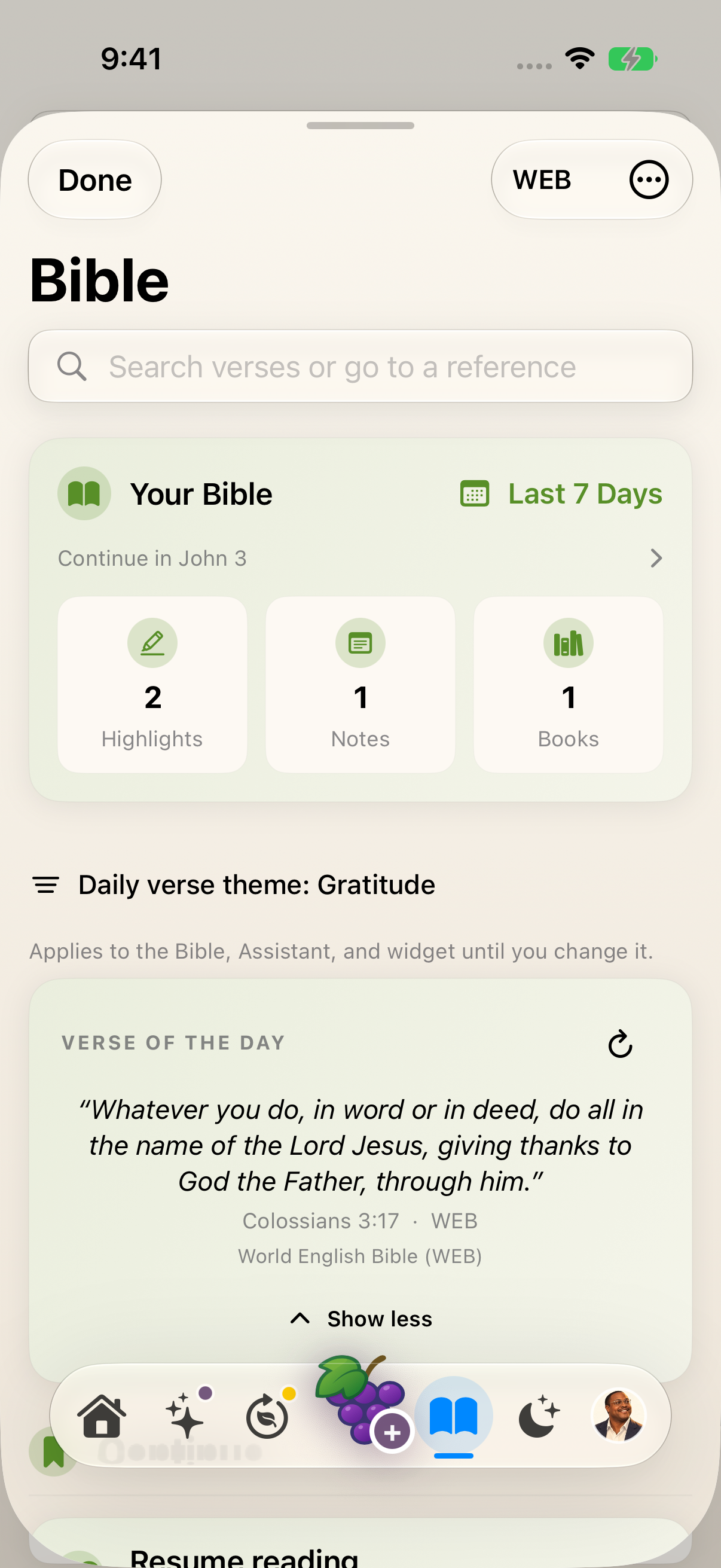
Expand the verse to read its full text, reference and translation attribution. earlier 1.1.0 recording. Open the chapter
Tap the verse text to open its chapter in the Bible reader. The reader targets the selected verse. Check the reference and scroll if needed. Use the back arrow to return.
Keep exploring
If something looks different
Checked against MyPraise App 1.1.0 · 2026-09-29
Before you begin
- For MyPraise App 1.1.0. Apple has approved this version; availability depends on the owner’s manual App Store release.
- Earlier MyPraise App 1.1.0 (34) recording. Screens may differ from the released app.
- Open Bible from the main navigation. This example uses the WEB translation and sample data.
- Video and screenshots retain their original capture dates and build provenance; most existing walkthroughs were recorded with 1.1.0 (34). They are not new build 53 recordings.
- Written navigation guidance was reviewed against approved build53 source on September29. The existing clip shows earlier chapter-start behavior and has not been rerecorded.
The screen looks different.
Guide screens may come from different versions of MyPraise App. Always download the latest MyPraise App from the App Store.
If a control is still missing, open Settings → Support for help.
Why does the older video open at the chapter’s beginning?
The retained recording shows build34. The approved build53 reader targets the selected verse. Check the displayed reference and scroll if necessary; this updated written guidance is source-reviewed, not a newly recorded demonstration.