
Find your way around Home
3 minPause the Home gallery, choose how much memory text it shows, and reveal Recent Memories.
Watch the steps
Connecting playback controls…
Read the on-screen captions
- Pause the Home gallery
- Use the pages icon to hide memory wording
- Restore the wording and expand Recent Memories
- Swipe up from the lower page area
- Recent Memories shows your saved cards
Step by step
Orient yourself on Home
Home shows a large gallery card, a row of thumbnails and Recent Memories below it. Search and Notifications appear at the top; the floating navigation stays near the bottom.
Pause the gallery
Choose the pause control near the lower-right corner of the gallery card. Its symbol changes to play when paused. This example pauses on Morning Prayer.
Show or hide memory wording
Use the small pages icon beside Recent Memories to hide the body text on the large gallery memory card. The title and date stay visible. Choose it again to restore the body text.
Reveal Recent Memories
Expand Recent Memories using its chevron, then swipe upward from the lower page area to bring the cards into view. A gesture across the large gallery can interact with the gallery instead of scrolling the page.
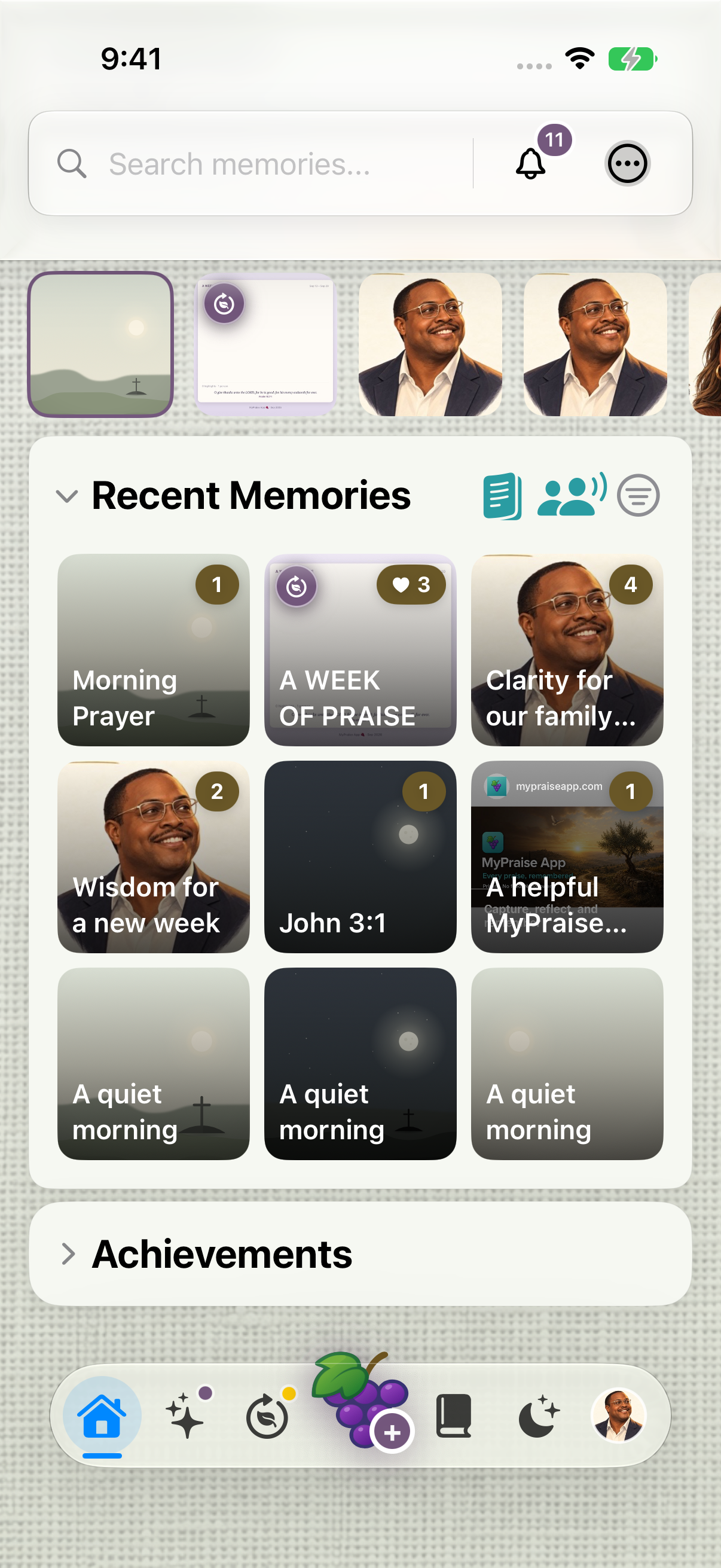
Expand Recent Memories, then scroll from the lower page area to reveal the saved cards.
Keep exploring
If something looks different
Checked against MyPraise App 1.1.0 · 2026-09-20
Before you begin
- For MyPraise App 1.1.0. Apple has approved this version; availability depends on the owner’s manual App Store release.
- Earlier MyPraise App 1.1.0 (34) recording. Screens may differ from the released app.
- Begin on Home with sample or saved memories. Gallery artwork and photos depend on your own library. Close the notification preview with its X if it covers the top controls.
- Video and screenshots retain their original capture dates and build provenance; most existing walkthroughs were recorded with 1.1.0 (34). They are not new build 53 recordings.
The screen looks different.
Guide screens may come from different versions of MyPraise App. Always download the latest MyPraise App from the App Store.
If a control is still missing, open Settings → Support for help.
Why does my swipe change the gallery instead of scrolling the page?
Start the upward swipe in the lower page area near Recent Memories. The large gallery has its own gestures. Expand Recent Memories with its chevron if the saved cards are hidden.