
Add a person to a memory
3 minKeep the people who were part of a moment connected to its memory.
Watch the steps
Connecting playback controls…
Read the on-screen captions
- Tap the plus above your media to add people.
- Choose Sarah N from your app contacts.
- Tap Done and check the attached portrait.
- Tap Continue to save the memory.
- Choose View memory.
- After reopening, check your saved memory.
- Sarah appears under Who was part of this.
Step by step
Start your memory
From Home, tap the plus button. Write a title and what you want to remember, then tap Continue.
Open Add people
On the next screen, tap the plus inside the dotted circle above your media to open Add people.
Choose someone
Select a person from the list. This example uses the existing favorite Sarah N. Tap Done to return to your memory.
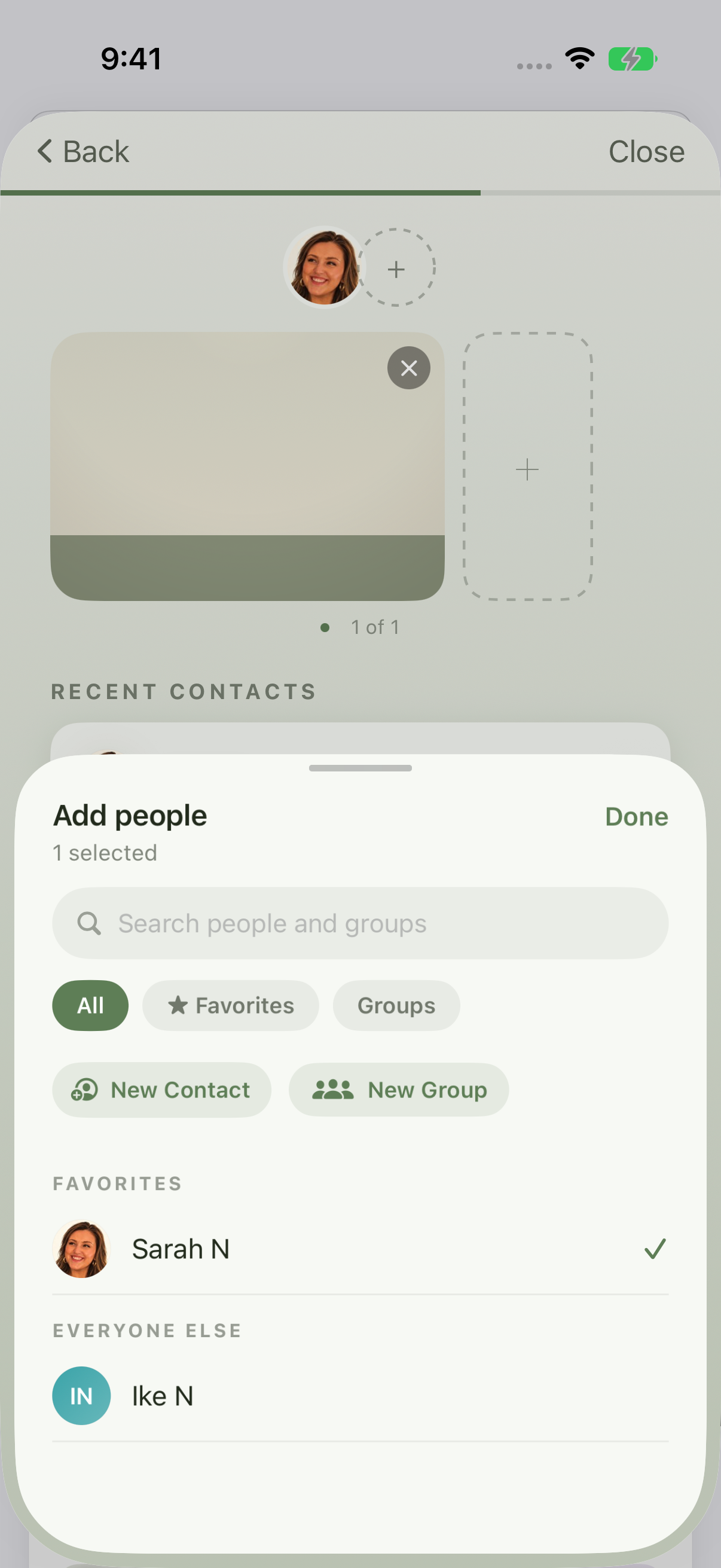
Select Sarah N from Favorites, then tap Done. Save and check
Confirm the person is attached, then tap Continue to save. Choose View memory and scroll to Who was part of this. The example confirms Sarah remains attached after reopening the saved memory.
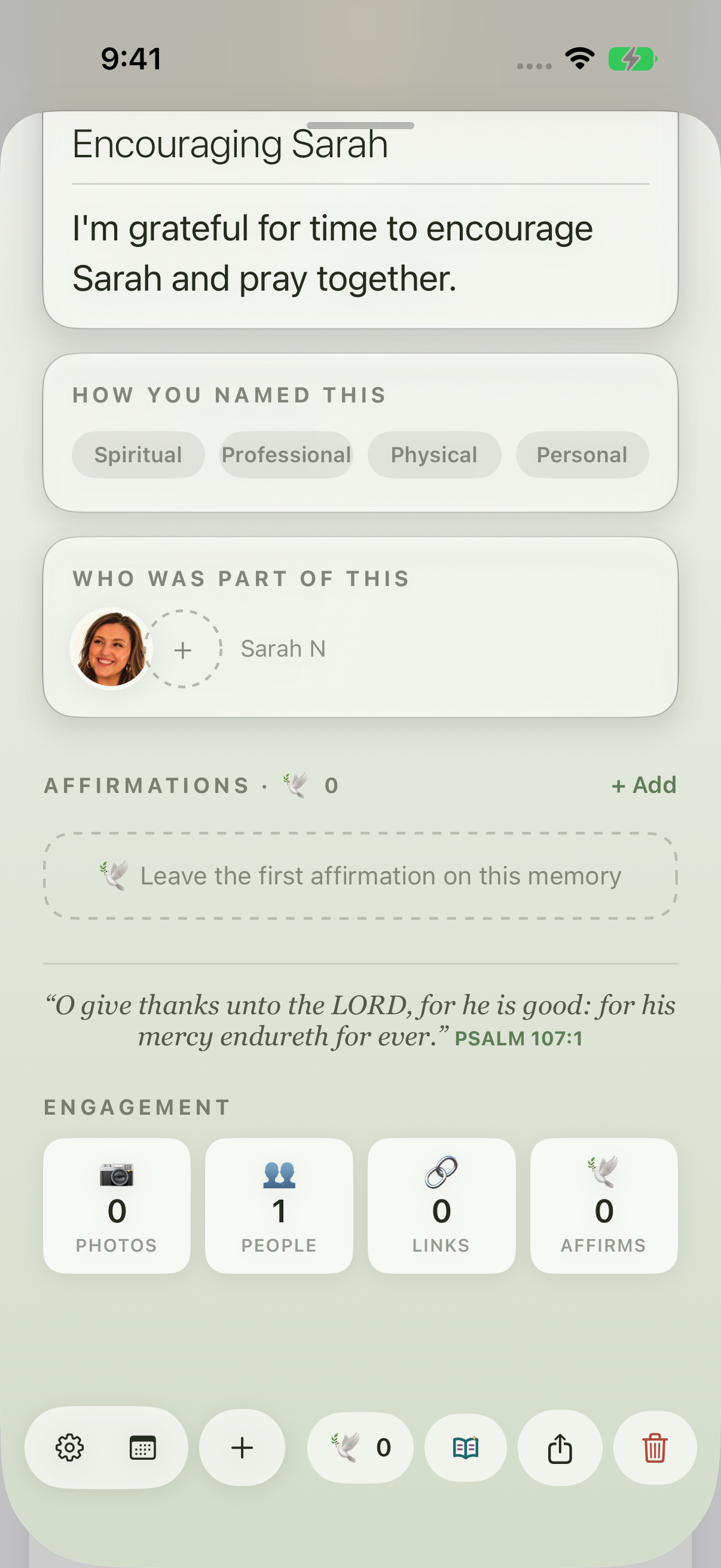
After reopening the saved memory, Sarah remains under Who was part of this.
Keep exploring
If something looks different
Checked against MyPraise App 1.1.0 · 2026-09-20
Before you begin
- For MyPraise App 1.1.0. Apple has approved this version; availability depends on the owner’s manual App Store release.
- Earlier MyPraise App 1.1.0 (34) recording preview; screens may differ from the released app.
- An existing app contact. This example uses Sarah N, already marked as a favorite.
- Video and screenshots retain their original capture dates and build provenance; most existing walkthroughs were recorded with 1.1.0 (34). They are not new build 53 recordings.
The screen looks different.
Guide screens may come from different versions of MyPraise App. Always download the latest MyPraise App from the App Store.
If a control is still missing, open Settings → Support for help.
Does this import contacts from my iPhone?
This walkthrough selects an existing MyPraise App app contact. It does not demonstrate system Contacts import or contact groups. If you need an app contact first, see Add a person and mark a favorite.